Dynamics 365 Business Central
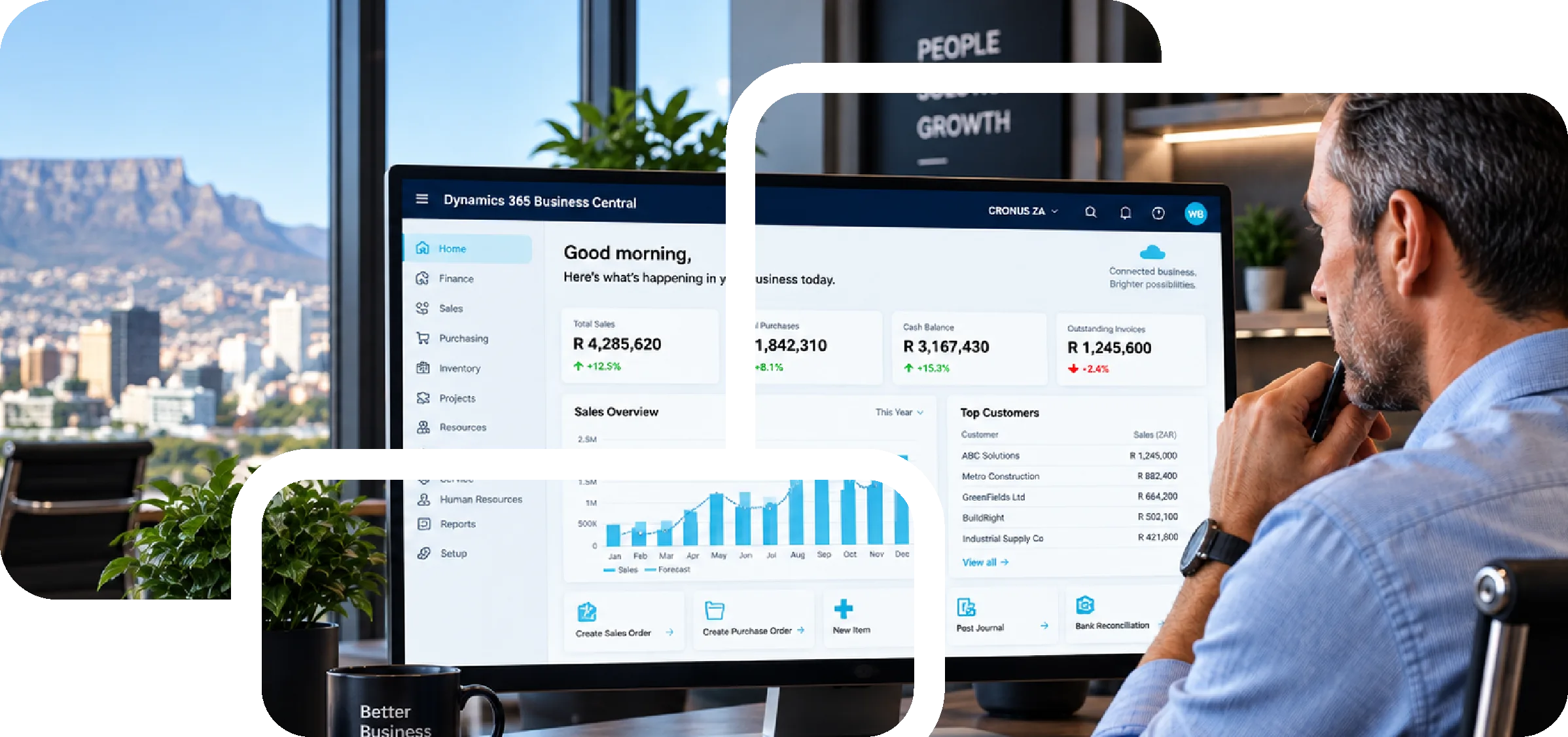
Microsoft Dynamics 365 Business Central brings finance, sales, purchasing, inventory, projects and service management together in one connected cloud platform. It is designed for growing businesses that need more than accounting software, but do not need the cost or complexity of a large enterprise ERP system.
SALES
INVENTORY
GROWTH
AMBITION.
ENABLED BY
TECHNOLOGY.
Built for businesses that have outgrown the way they currently work.
Growth often exposes the limitations of systems that once worked perfectly well. Business Central is designed for growing small and mid-sized organisations that need the structure and control of a true ERP platform without moving into an unnecessarily complex enterprise environment.
Outgrowing Accounting Software
Finance may still work, but stock, projects and reporting are increasingly being managed outside the system.
Disconnected Processes
Spreadsheets, separate systems and manual workarounds are starting to slow the business down.
Growing Teams Need Better Visibility
Management needs reliable information across finance, operations and multiple companies without hours of manual work.
One platform for the everyday areas that keep your business moving.
Business Central connects the essential parts of your organisation so that teams are working from the same information rather than separate systems and spreadsheets.

Finance
Gain a clearer view of your financial position with connected accounting, budgeting, cash flow, reporting and financial management.
Sales & Purchasing
Manage customers, suppliers, quotations, orders and purchasing processes from one central system, with better visibility from enquiry through to fulfilment.
Inventory
Understand what you have, where it is and what you need, with better stock visibility, purchasing decisions and inventory control.
Projects
Track project costs, resources, time and profitability more effectively throughout the project lifecycle.
Service
Manage service activity, customer requirements and operational information in one place for a more consistent customer experience.
When accounting software is no longer enough.
Many growing businesses reach a point where their accounting system is being asked to do far more than it was designed for. Business Central is the natural next step, connecting financial control to the wider operation of the business.

Accounting Software
- Stock control moves into spreadsheets
- Reporting becomes increasingly manual
- Departments create their own workarounds
- Information is captured more than once
Dynamics 365 Business Central
- Connected processes across the business
- Better visibility for management
- More structured, scalable ERP processes
- A stronger foundation for future growth
Business Central works with the tools your team already knows.
One of the strengths of Business Central is how naturally it fits into the wider Microsoft environment, creating a more connected way of working without forcing your team to completely change the tools they use every day.

Outlook
Work with customer and supplier information alongside email, helping teams respond faster without constantly switching between systems.

Excel
Analyse and work with business data using a familiar tool while maintaining a stronger connection to the information held inside your ERP.

Teams
Bring business information into conversations and collaboration so teams can make decisions with the right context at hand.

Power BI
Turn operational and financial information into meaningful dashboards and reporting, giving decision-makers a clearer picture of performance.
Growth should create opportunity, not more administration.
As businesses grow, small inefficiencies often become much larger problems. Business Central helps replace disconnected processes with one structured platform.
We start with your requirements, not with a template.
A successful ERP implementation starts with understanding how your business operates, where your current processes are creating friction and what the new system needs to achieve.
Discovery & FitUnderstand your business,
processes and current environment.
Solution DesignStructure Business Central
around your requirements.
Configure & MigrateConfigure the platform
and prepare your data.
Integrate & TrainConnect what matters
and prepare your team.
Go-Live & SupportLaunch with confidence
and keep improving over time.
Is your business ready for a more connected way of working?
If your accounting software is becoming a collection of workarounds, spreadsheets and manual processes, it may be time for the next step. Talk to Nexsol about whether Microsoft Dynamics 365 Business Central is the right fit for your business.
Book a Business Central Consultation →